
DIGIDECK – ENTERPRISE SAAS
Designing the DIGI Present Editor Assistant
DIGI Present Editor Assistant is a conversational AI experience embedded directly within the DIGIDECK presentation editor. Over a 12-week timeline, I helped design and launch a chat-based assistant that allows enterprise users to update content, replace imagery, adjust layouts, and format presentations through natural-language prompts while remaining inside their existing workflow.
Role
UX/UI Designer (1 of 2)
Timeline
12 weeks
Team
Senior UX/UI Designer, 3 Engineers, VP of Engineering, CTO
Responsibilities
End-to-end UX/UI design, competitive research, AI product strategy, wireframing, prototyping, stakeholder collaboration, high-fidelity design, engineering handoff
Overview
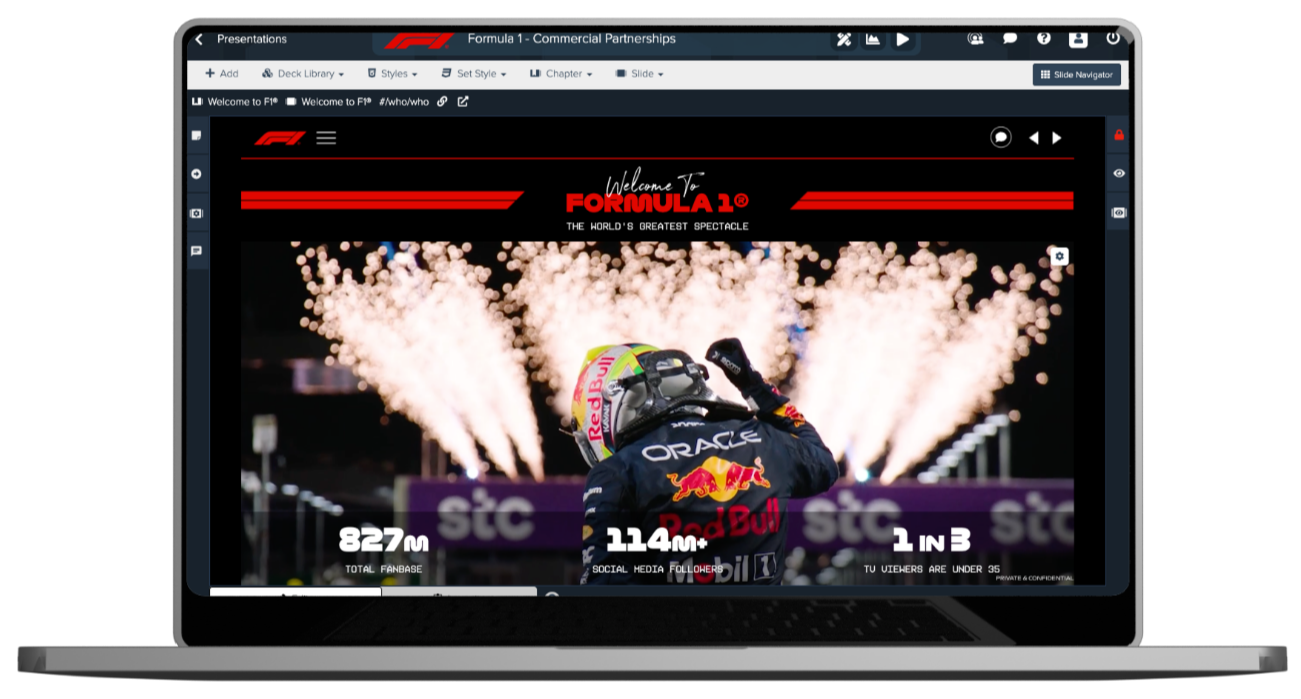
DIGIDECK is an enterprise presentation platform used by organizations across sports, hospitality, venues, and destination marketing to create and manage on-brand presentations.
As AI rapidly reshaped expectations around content creation, our team was tasked with exploring how conversational AI could improve the editing experience without compromising the governance controls enterprise clients rely on.
Over a 12-week period, I helped design and launch the DIGI Present Editor Assistant, a chat-based AI experience embedded directly within the presentation editor that allows users to update content, replace imagery, adjust layouts, and format presentations through natural-language prompts.
The goal was simple: make presentation editing feel less like using software and more like collaborating with a teammate.
THE PROBLEM
For enterprise sales and marketing teams, presentations are constantly evolving.
Teams regularly update messaging, swap imagery, refresh content, and tailor presentations for different audiences. While DIGIDECK offered powerful editing capabilities, many common updates required navigating multiple menus, tools, and settings.
As the platform matured, we continued hearing the same frustration:
Users were spending more time figuring out how to make changes than actually making them.
At the same time, AI-powered tools were changing user expectations. People increasingly expected to describe what they wanted rather than manually performing every step themselves.
The challenge was creating a faster, more intuitive editing experience while preserving the governance and brand controls that enterprise customers depend on.
RESEARCH + DISCOVERY
With a tight timeline, our process focused on rapid discovery and close collaboration.
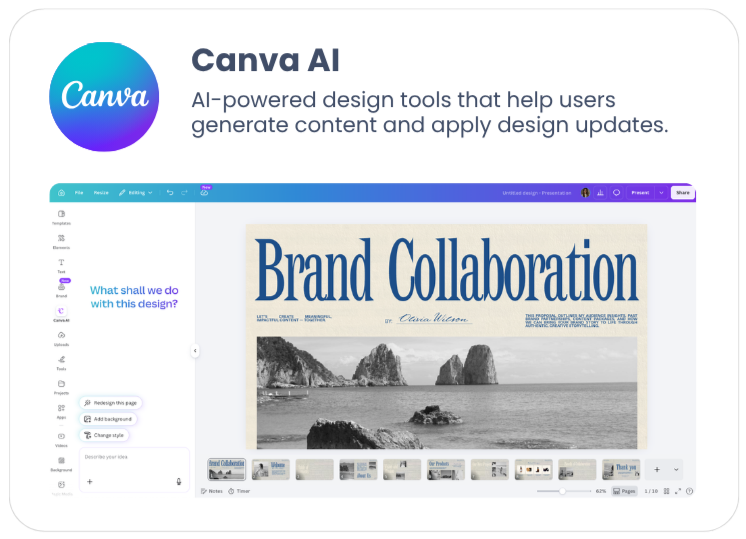
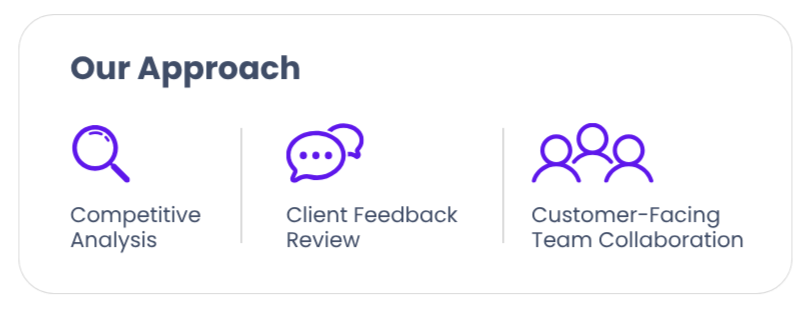
We reviewed emerging AI-powered products such as Canva and Gamma, analyzed existing client feedback, and worked closely with customer-facing teams to better understand where users were struggling most within the editor.
Competitive Analysis
We analyzed leading AI-powered creation and productivity tools including Canva, Gamma, and Microsoft Copilot to understand how users interact with conversational AI within creative workflows. This research helped us identify common interaction patterns, understand evolving user expectations, and uncover opportunities to create an experience that felt intuitive while remaining aligned with DIGIDECK's enterprise governance requirements.
Key Insights:
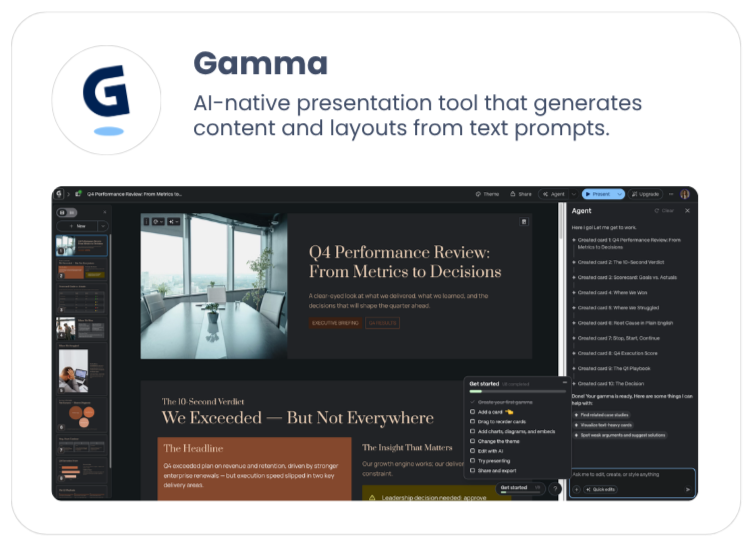
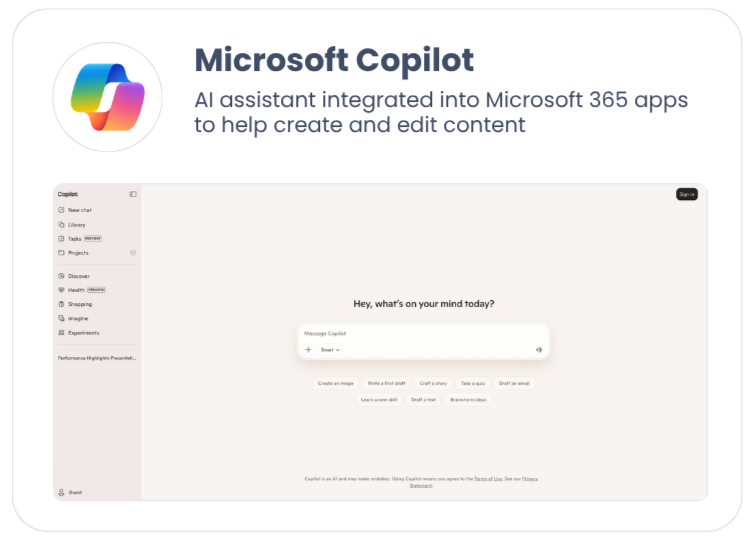
Editing Friction slowed users down: Common presentation updates such as replacing imagery, updating text, adjusting layouts, or applying styling changes often required navigating multiple areas of the editor. Users spent too much time managing the mechanics of editing and not enough time refining their content.
Users wanted outcomes, not controls: Users weren’t asking for additional editing tools, they wanted a faster way to accomplish tasks. Whether that be updating a slide, refreshing content, or changing presentation styling, users cared more about the result, not which menu or setting was required to achieve it.
Governance remained essential: Enterprise customers relied on DIGIDECK to maintain brand consistency and content standards across their organizations. Any AI-powered solution needed to accelerate editing workflows while respecting existing governance controls and approved presentation content.
DESIGNING THE EXPERIENCE
Why a conversational assistant?
Rather than introducing additional controls into an already complex editing experience, we explored how natural language could become the primary interaction model.
The goal was to let users focus on what they wanted to accomplish instead of how they needed to accomplish it.
A few examples included:
"Replace the hero image with something more professional."
"Update this slide with our latest Q4 numbers."
"Shorten this section."
"Make the presentation feel more modern."
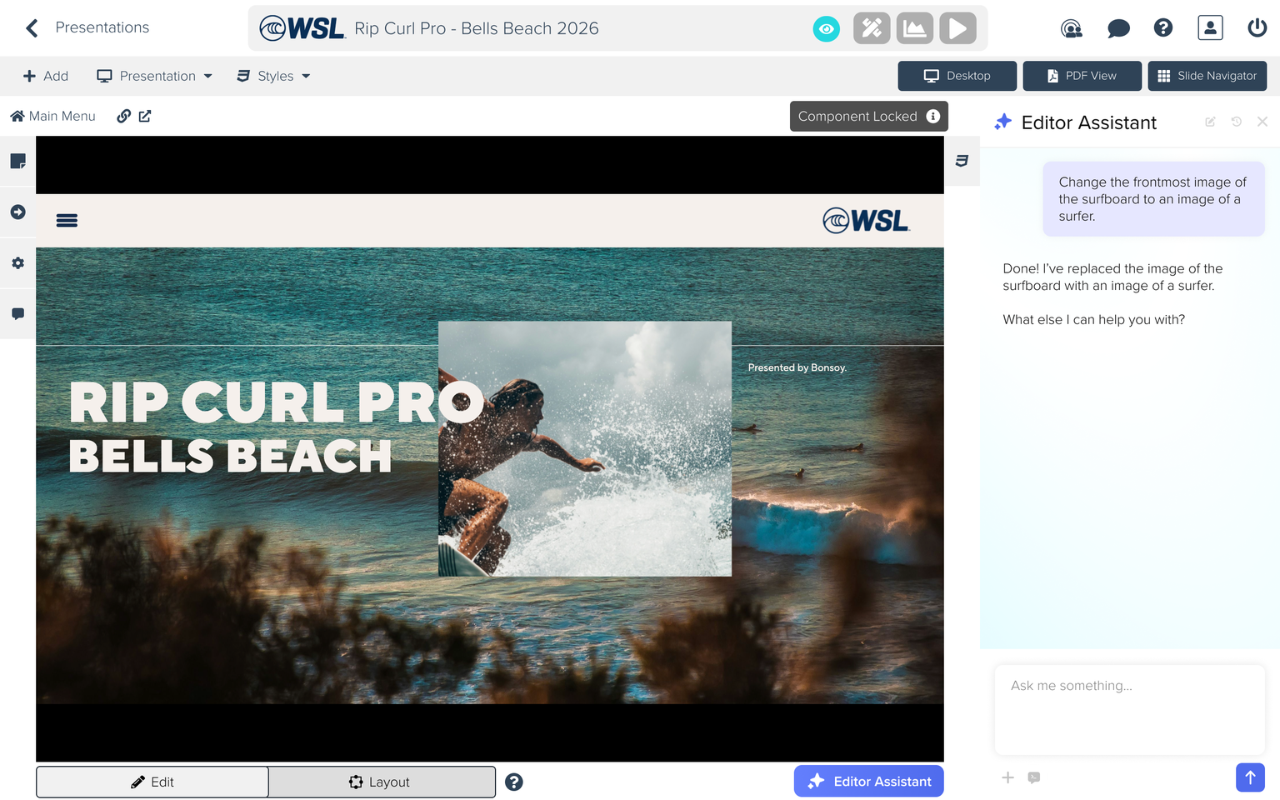
"Add a rounded border to the image of a surfer.”
Why a sidebar?
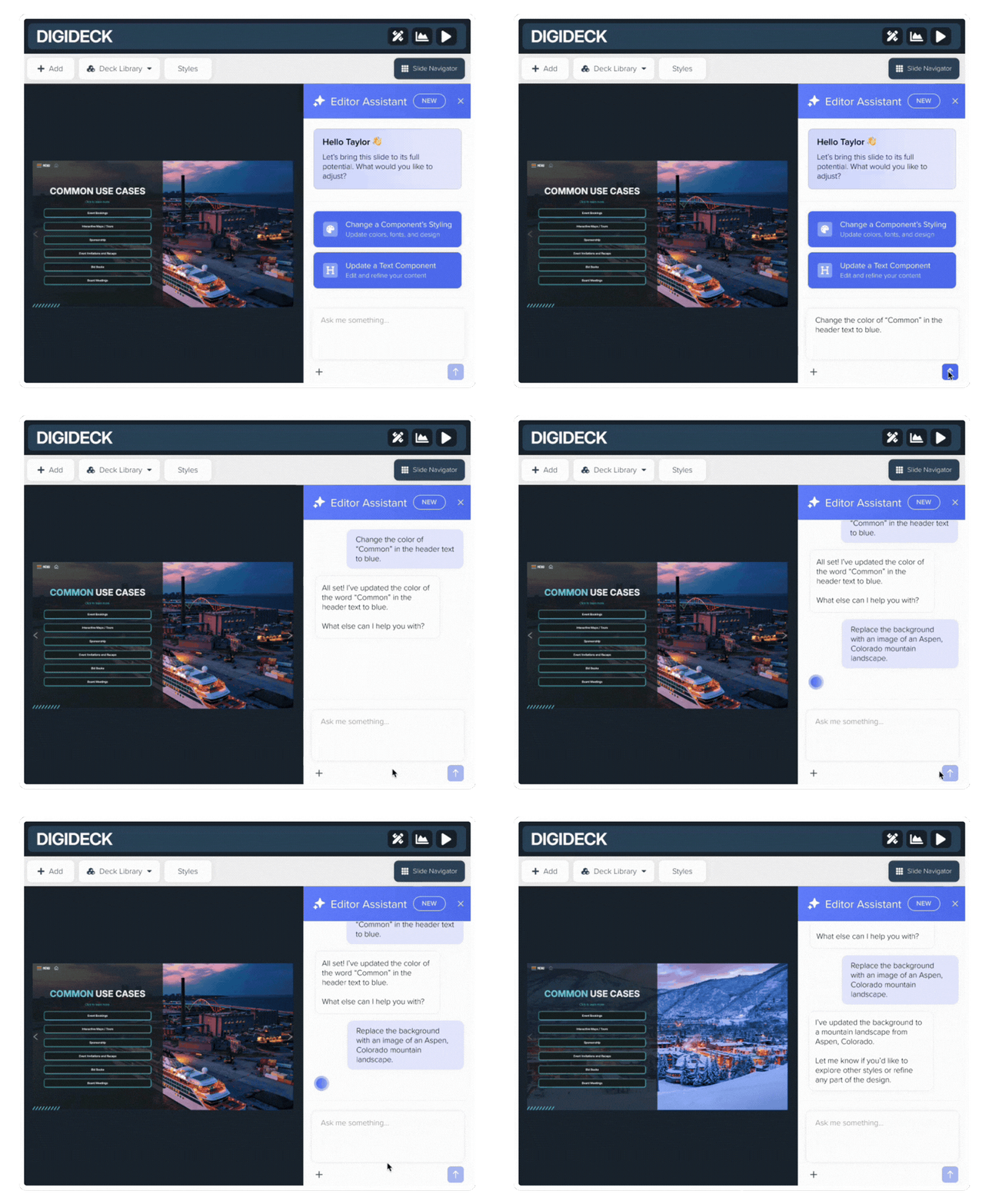
We explored several concepts before landing on a persistent sidebar integrated directly into the editor. This approach allowed users to view both their presentation and AI interactions simultaneously while seeing changes applied in real time.
By keeping the assistant alongside the presentation, we reduced context switching and made the experience feel like a natural extension of the existing workflow rather than a separate tool.
THE SOLUTION
Meet the DIGI Present Editor Assistant
The DIGI Present Editor Assistant lives within a collapsible sidebar directly inside the presentation editor. Users communicate with the assistant through natural-language prompts to make updates without navigating menus or manually adjusting individual settings.
The assistant supports a wide range of editing tasks, including:
Updating text content
Replacing images
Adjusting layouts
Refining messaging
Modifying styling
Applying presentation-wide formatting changes
How It Works:
User enters a prompt.
The assistant interprets the request.
Changes are applied directly to the active presentation.
The user reviews results in real time.
By allowing users to focus on intent rather than execution, the assistant dramatically simplified common editing workflows.
NATURAL LANGUAGE EDITING
Change text, swap images, adjust layouts, update colors and more, just by describing what you want. The assistant handles the rest.
QUICK ACTIONS
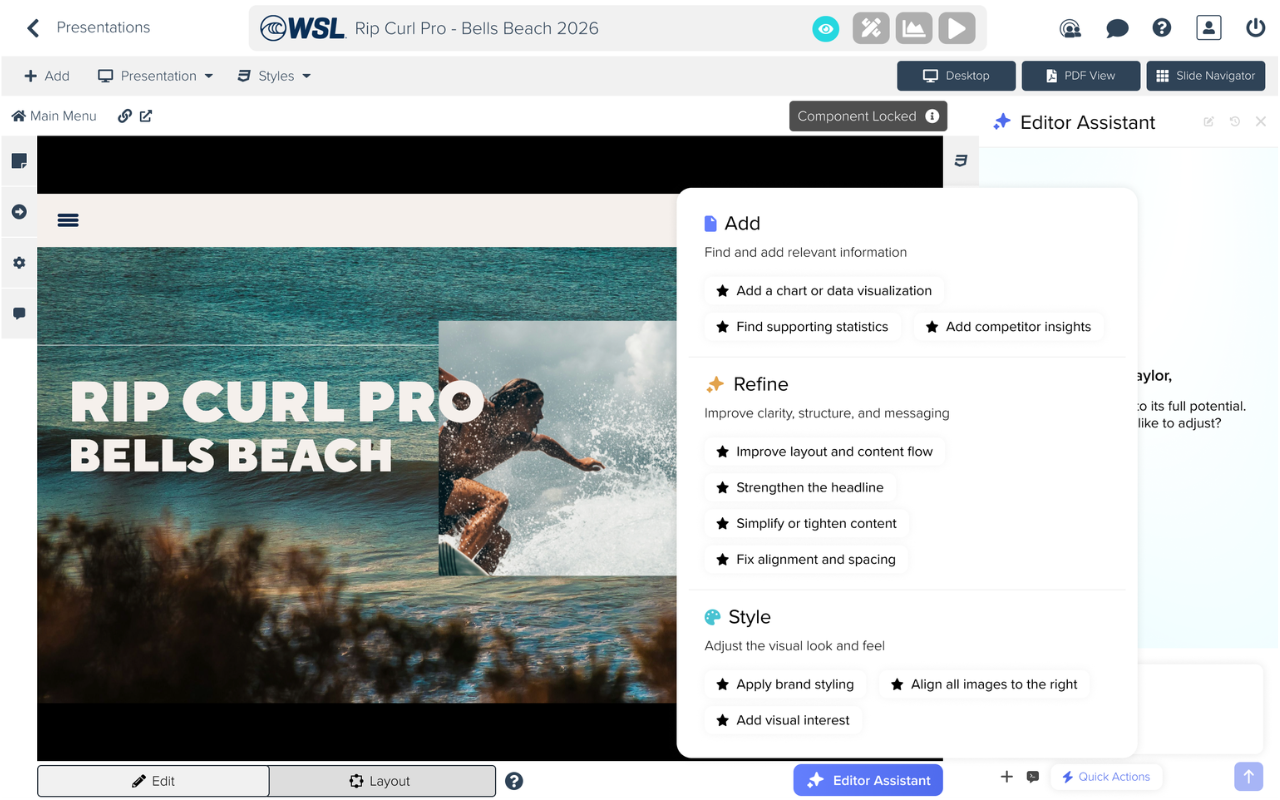
After shipping version 1, we jumped straight into improvements. Quick Actions were added to let users make fast, common refinements to their slides without typing a full prompt, keeping the experience snappy for repeat edits.
DESIGNING FOR EDGE CASES
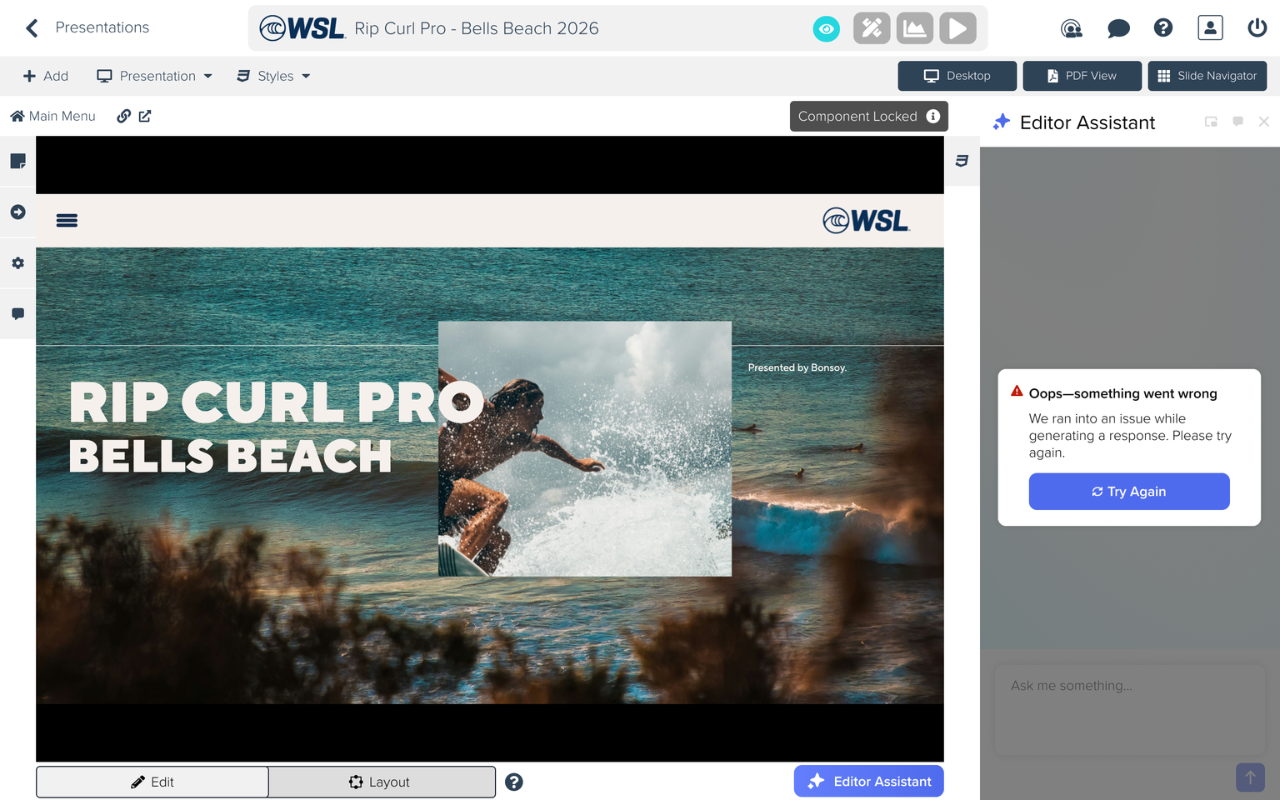
To maintain trust in the experience, we designed clear error and recovery states that explained what happened and what users could do next.
THE OUTCOME
The DIGI Present Editor Assistant shipped within the project's 12-week timeline and is live within the DIGIDECK platform today.
By introducing conversational editing directly into the presentation workflow, the feature enables users to update content, imagery, layouts, and styling without navigating complex editor controls.
The project also established a foundation for future AI-powered experiences across the platform and informed subsequent enhancements such as Quick Actions and the Prompt Library.
For me, this project was an opportunity to explore how AI could simplify complex workflows for users while balancing the governance requirements that enterprise organizations depend on.